

Transcript
Evan Dumas
You’re listening to Group Practice Tech, a podcast by Person Centered Tech, where we help mental health group practice owners ethically and effectively leverage tech to improve their practices. I’m your co-host, Evan Dumas.
Liath Dalton
And I’m Liath Dalton, and we are Person Centered Tech.
Liath Dalton
This episode is brought to you by Therapy Notes. Therapy Notes is a robust online practice management and electronic health record system to support you in growing your thriving practice. Therapy Notes is a complete practice management system with all the functionality you need to manage client records, meet with clients remotely, create rich documentation, schedule appointments and bill insurance all right at your fingertips. To get two free months of Therapy Notes as a new Therapy Notes user go to therapynotes.com and use promo code PCT.
Liath Dalton
Hello and welcome to Episode 543: Defining the Role of Secure Email Alongside Your EHR – With Hushmail.
Liath Dalton
So I am very pleased to welcome my friend and colleague, Ben Cutler, who is the CEO of Hushmail to today’s episode. Hi Ben.
Ben Cutler
Hi Liath. How are you today?
Liath Dalton
So we have known each other for many years, actually, since I first joined PCT, because you had a long standing relationship with our beloved late founder, Roy Huggins, and had collaborated around secure email, secure communication right at the time when email was becoming more a part of modern mental health practices, and Roy was providing consulting to all of his colleagues who were asking him, how do I use email with clients, and how does HIPAA intersect with this, and what do I do? And so you two formed a bond and collaborated around how to actually meet those needs well over a decade ago.
Ben Cutler
That’s right, and it’s it’s really tough that we lost him. Oh, I think it was just over four years ago. I do. I did think about those times. I think about Roy fondly. Definitely, very much appreciate the collaboration and his thoughts and inputs, especially into helping us with our direction. But yes, I do still, I still miss him. Always such a positive, fun conversations to have. I do cherish the relationship that you and I have built, and it’s amazing to see how seamlessly you’ve sort of taken, taken that over. But, you know, big, big shoes to fill with, with the person Roy.
Liath Dalton
Literally and figuratively. Yes, very, very, much so. But I think he would be so pleased to see how we have kept the sort of symbiotic relationship between our organizations going and continue to find ways, through our collaboration and conversations, to keep meeting the needs of the community, the professional community that we serve.
Ben Cutler
Yes, I totally agree.
Liath Dalton
So you and I recently had the privilege of attending the Innovations in Psychotherapy Conference down in Anaheim. Well, I say down, because it’s down for both of us relative to where we’re geographically located.
Ben Cutler
That’s right.
Liath Dalton
And we had so many wonderful conversations with practice owners, that really led to some great insights, that we wanted to talk through and share with all of our listeners and the broader community, because those conversations really revealed some of the most pressing practice challenges that folks are navigating, as well as some key opportunities for clarifications, like around some some misconceptions that can really, true clarification around those misconceptions can lead to effective and efficient solutions for practice needs. So here we are.
Liath Dalton
We wanted to share what we learned and some readily available resources and solutions to those challenges that practice leaders were sharing with us. So one of the kind of most frequent refrains that we heard through our conversation asking people what they had in place for secure email and secure communication was, well, I have an EHR. Why would I need anything else, like doesn’t, doesn’t that provide for it? The EHR has a client portal and secure messaging in the portal, so I’m covered, right?
Ben Cutler
That’s right, it comes up quite a lot, and it’s a so it’s a good question. Because the EHRs provide a great service, and they do provide the ability for practitioners to communicate with their clients, but a secure email service is a much broader use case. And as we discovered through the conversations at the conference, there are some some areas where having a secure email service definitely provides additional value that’s complementary to having an EHR.
Liath Dalton
Right.
Ben Cutler
It think one of those, one of those conversations is very important, is the initial what you and I, when we talk about is the initial contact question. It’s like, how do you start a conversation with a prospective client? And you know, what is the nature of that communication, and is it protected information, and how do you do that securely?
Liath Dalton
Exactly. Because what EHRs are great at is for managing communication with established clients, right? And maintaining the client record, and all of those really vital practice functionalities. But that’s not comprehensive, when we look at the sort of life cycle of information and a client journey from prospective client and pre-intake through intake into also termination and records releases, because those pieces also aren’t always provided for through through the EHR.
Liath Dalton
Because basically EHRs don’t secure initial contact. They don’t protect communication prior to intake. They don’t secure the message routes for your contact form or manage external communications, like with referral partners or care coordination with other providers or records releases when dealing with legal proceedings or case managers, external case managers. So they’re really designed as closed communication, not for a general communication tool, which is where the secure email that also has a secure contact form functionality comes in and really becomes, in my view, a vital component in order to really create a fully secured practice system, like that walled garden.
Liath Dalton
PCT talks a lot about the kind of concept of security circle. Where the security circle is all of the systems and processes and devices that handle client information that’s within your scope of responsibility as a provider. And so we want to establish a clear security circle, where all information that you’re responsible for securing is contained within that circle, and it doesn’t have a sort of porous perimeter, but it’s neatly defined. And if we don’t have a mechanism for handling initial contact securely, or care coordination securely, then there cannot be a complete security circle perimeter. It’s got this big sort of opening gap.
Liath Dalton
So part of part of why I think that gap so frequently exists in practices is because there has been a long standing misconception that initial contact is not Protected Health Information, that it’s not within a provider’s scope of responsibility. That somehow the magic moment when information becomes Protected Health Information is when the clinician, client or provider patient relationship gets established. Which is not the case. And this is, I think, one of the most fundamental understandings, that if you have this foundation of knowing what actually constitutes Protected Health Information, then you can make effective decisions about how to set up your security circle so that you’re protecting that PHI. If you’re not defining or recognizing when something is PHI and therefore something you need to secure, then you’re, you know, at a deficit for being able to put your security circle together.
Ben Cutler
Effectively, that’s that’s very, that’s very true. And you know, when we talk about secure email and contact forms, that in the security circle it has to be easy to use. And so when you pair a secure form with a secure email, it’s very easy for that form to be put in places where a prospective client can complete it. They can share the sensitive information, the PHI and that contact form submission can be leveraged very easily into a secure conversation, which then helps with the transition from somebody seeking care to becoming a client.
Liath Dalton
Exactly, and that’s one of the things that sets Hushmail apart, is the explicit pairing of a secure form service with secure email. And this is different to how services like Paubox and LuxSci, which just integrate into either Gmail or Microsoft 365, are set up because they’re just kind of behind the scenes, but don’t give you all of the functionality and control that Hushmail does, especially with regards to the forms component.
Liath Dalton
So what Hushmail does is, by virtue of pairing the secure form with the secure email, is it provides a way for clients to, through sending a form submission, initiate a secure messaging thread, right? As opposed to, if a practice just has their email address listed right, and their, sure their email has this added encryption, but it doesn’t actually manage what we would refer to as inbound encryption. Because there’s this whole leg of the transmission journey for that information, if a client just goes to their email program, puts the email address in and clicks send, while it’s being transmitted from their email service provider to the practice’s otherwise secured email, that leg of the journey isn’t secured, right?
Ben Cutler
That’s, that’s, that’s exactly right. And the other, the other thing that you’ll sometimes see is somebody will have a website, and they’ll have a contact form, and that contact form is not paired with anything that is secure. And so one of the one of the added benefits of the contact form being paired with the email service is, if it’s all one service, you don’t have to worry about the transmission of that submission. So if you when you have two separate services, you and then have to make sure that they are compatible. With with our with our service, it’s sort of out of the box, easy to use, and away you go.
Liath Dalton
Exactly. So what that looks like in practice is having a Hushmail secure form embedded on your practice website as your initial contact form, and that can have whatever fields you want and need to have in place for initial contact that are going to help you have the most sort of effective and efficient initial inquiry and fit discovery and intake process.
Liath Dalton
So one thing I see really frequently is that practice owners will, if they’re not using a secure contact form, know that they shouldn’t be asking for information like insurance numbers or really any details about presenting issues and why the prospective client is seeking care and so on. So they try and limit the information that they’re asking for, but then through that limiting, it makes the actual fit assessment and intake process a lot more cumbersome and time consuming. If you were freed up because you were using an entirely secured and HIPAA compliant compatible system to ask for whatever information is most useful to you to determine fit, like being able to do a benefits eligibility check and that sort of thing, that’s obviously going to really optimize the intake process.
Ben Cutler
That’s absolutely right. And sort of couple points that kind of popped into mind, as you’re saying that is, with the contact form, it’s very easy to add and delete fields. So if your the needs that your requirement needs, data requirement needs on that form change, you can, you can do that very easily within the, within our service. And then those those updates just roll out magically to the, to the website. You don’t have to go edit your website again. Which can be a bit of a technical challenge.
Ben Cutler
The other thing is that contact form doesn’t doesn’t need to just reside on the website. It’s available as a URL, and so you can share that. The practitioners can share that, by email, they can share it by text, in a variety of different ways, which meets sort of the patient where they are, but it still provides that kind of bridge to bring in that secure communication.
Liath Dalton
Absolutely, and in fact, that’s one use that we are really frequently recommending folks utilize, particularly with regard to directory services. Because all of these directory services are offering in-house, initial contact, but not offering Business Associate Agreements, and so that is not compliance compatible whatsoever. And even if you put disclaimers on those profiles of not to send sensitive information, it is still all PHI. It’s personally identifying information, plus health information, where health information is any information related to past, present or future – future being the big kicker here – health care services. And so basically that means anything sent through a directory service is about establishing care, is going to be Protected Health Information.
Liath Dalton
Anytime there’s Protected Health Information being handled or generated, the full lingo is created, received, maintained or transmitted by a third party that creates a HIPAA Business Associate relationship and then necessitates a HIPAA Business Associate Agreement. So the conundrum that so many folks find themselves in is that they need to have a directory service listing in order to, you know, market their practice to find and match with clients, and yet, these services won’t meet their HIPAA needs and provide a Business Associate Agreement. And so, you know, practices say, well, wait, does that mean I can’t use the directory platform? Like all of my colleagues are doing it, I have to do it. That’s a totally valid, you know, need but then where we have this great workaround is instead of using the in house communication to have your practice website link actually be that URL that you just mentioned Ben, that is direct to the Secure Contact Form.
Liath Dalton
And then my guidance to folks is put a prominent message in your profile as well that to initiate secure communication, just click that that link and that they should be leaning into the fact that they are securing that initial communication. I think that’s an actual marketing asset right now, in particular. Because there used to be this sort of sense that most clients or patients weren’t too concerned about how their you know, if their information was being encrypted in transmission and at rest and all of those things, and the sort of blaseness that we as a society have around ugh, my information isn’t really private anyway, so what’s the point, like, I’d rather have it just be as easy as possible, rather than any sort of additional rigamarole associated with it.
Liath Dalton
However, we are kind of in a different landscape or context right now because, just the sort of threat picture to sensitive information and the concerns that folks have around their most sensitive PHI being safeguarded because of potential consequences or implications if it isn’t secured, has really shifted, particularly over the last year. Especially if it has anything to do with the kind of most sensitive areas of information or potential client care, like related to reproductive care, gender identity, immigration status, etc.
Liath Dalton
So for populations who are particularly concerned about that sort of their information being exposed or safeguarded, being able to share, right at the outset of your relationship with a client, when they’re still a prospective client, that you really take safeguarding all of their information seriously, like their story is sacred and you are going to protect it from the outset, that is meaningful, I think, both on the business level and on the clinical level, right? Because the therapeutic alliance is initiated right at that first, moment and impression, in my opinion. So that’s on the clinical side. And then on the business side, you’re setting yourself apart in reality, because not everyone is doing this, and letting folks know that you are holding holding their information securely right from the get go, and that’s meaningful.
Ben Cutler
I think you’re absolutely right. It’s that right up front. It’s that step that is very visible and apparent to somebody, oh, I’m communicating in a way that is building trust for the person who may even be a little kind of hesitant to communicate in the first place. And so you’re being very, it’s very, very upfront, very visible that steps have been taken to provide protection about the data that’s been sent. So no, you’re absolutely right on all those points.
Ben Cutler
The other, the other sort of more practical side of the point about the directory services is they’ll send you the information, but then you have the additional burden of working out how you initiate secure communication, so that might be by phone call or or some other method which is more time consuming, whereas, if you’re, if you’re just starting this conversation, in a way that the next step is replying to an email and you’re, you move seamlessly in to a secure, compliant communication, you’re actually saving yourself time, and you’ve got a much more streamlined service. And I know that’s it’s, it’s somewhat more mundane than, sort of the sort of the points you made prior, but I think it is also sort of complementary to.
Liath Dalton
No, I don’t, I don’t think it’s mundane whatsoever, because I think creating more efficient or less friction filled experiences, both for the provider and prospective client, are really meaningful. And especially for providers right now, I think everyone is dealing to some extent, at least, with some burnout and overwhelm, right? And how, what are some practical ways to address that, or just reduce the kind of cognitive overhead or time suck that day to day, administrative and business management pieces present as a challenge? That’s effective and efficient systems.
Ben Cutler
Yeah.
Liath Dalton
And that’s, that’s meaningful to folks, right
Ben Cutler
Yeah.
Liath Dalton
Until we can clone ourselves. That’s, that’s always going to be a big win. And, and so I think going back a little bit to some of the conversations that we had with folks about what their practice challenges were, and some related to initial contact or intake processes was the customizable form component. Because a lot of the EHRs right, provide a template forms. Template informed consent or professional disclosures and so on. And they, in some instances, provide for the ability to customize a little bit, but most of the time, it’s not really robust customization. It’s just putting in, like, your name and the particulars of your practice, not actually changing the body language of of those important documents and consents that need to be part of the intake process.
Liath Dalton
And for most of our listeners, they will have heard Eric Strom, the HIPAA and teletherapy attorney that we collaborate with, say that you should never, ever be using the template forms provided by a platform. Whether it’s your AI clinical note, HIPAA compliance compatible service, or your EHR, that your intake forms, your professional disclosures, informed consent, etc, should always be customized and specific to your practice. And that’s something that folks then are kind of left wondering, how do I manage that? How do I provide for that? How do I get e-signatures on the things that need signatures and aren’t just the provision of information, like the HIPAA Notice of Privacy Practices? And so that’s one area where Hushmail really provides a solution that we’re frequently recommending folks leverage in their practice. That they have the their initial intake forms and professional disclosures and so on, and their HIPAA Notices of Privacy Practices, because that also has to be customized, provided through Hushmail.
Ben Cutler
That’s right. You know, we get, we have some templates on the website as but we, you know, for an intake form and such, but they’re really a starting point. And one of the things we know from talking to our customers and prospective customers that an intake form, it can be quite specific to the practitioner.
Liath Dalton
Yes.
Ben Cutler
They may have a practice that focuses on a very specific in a very specific area, and so their intake form would be tailored to that. They may have very specific questions that they like to, to ask, which maybe other practitioners don’t. And so it’s very easy to add those, those questions in and customize. You can start from a blank page, or you can start from a sort of a template, but you can make that form very easily what you want. Or you can send us your, you know what you want, and we’ll build it for you, very quickly and easily.
Liath Dalton
Which is a fantastic feature, right?
Ben Cutler
Yeah.
Liath Dalton
I think the the other piece that really got highlighted for me in the conversations with folks at Innovations was the care coordination aspect, as well.
Ben Cutler
Yeah.
Liath Dalton
And that that’s something that comes up really frequently in practices. And interestingly, just before I had gone to the conference, we had started at PCT, getting a lot of inquiries about third party payers, insurance companies, requiring telehealth care coordination policies and procedures in order to be paneled. And one of the required components of that telehealth care coordination policy was related to how communication was secured with other providers, like primary care, maybe a psychiatrist who’s doing med management, etc. So obviously, in a telehealth only context, I mean my point when we first got that question is, well, whether or not you’re a telehealth provider or telehealth only provider, you’re still doing care coordination, and you should have an existing policy that defines, how are you, how you’re doing this securely, but the insurers are explicitly looking for this in a telehealth context. So we said, okay, we can specify what the foundational requirements for that are.
Liath Dalton
But, the, you know, challenge comes up that when you are doing a records release, for example, so the highest sensitivity level of PHI possible, and you’re sending to someone who’s outside your practice. So not using the same email system you are, they’re not in the same EHR, or even if they are, they’re not connected to yours in a way where you can either do a records release or just have communication relating to care coordination and know that that is secured. So this question of like, how do I, I saw that the email address that I’m supposed to release a client’s record to is [email protected] address. I don’t, can’t, in good conscience, send that. So what do, what do I do, what system do I put in place?
Liath Dalton
And that’s where Hushmail comes in, because it provides for a mechanism to securely communicate with anyone. Without having to go through any steps to check what system they are using, and if It has a HIPAA Business Associate Agreement in place. Which, by the way, checking if a recipient when you’re doing care coordination, if they have a HIPAA, HIPAA Business Associate Agreement in place with their email service provider, is not technically part of your HIPAA requirements. However, we’ve been seeing the question come up from practice owners about this, because they’re aware of the implications, even if it’s not technically their legal responsibility, they are feeling that is their ethical responsibility, because they know the impact of what could happen if that information fell into the wrong hands because it wasn’t secured. So when they’re asking us this question of, how do I do a record release, when the other provider I’m supposed to send it to is just using what I know to not be HIPAA compliance compatible. I don’t want to do that to my client and expose their information in that way. How do I manage it?
Ben Cutler
Yeah, I think, you know, you talk about the escort consideration, but it’s also the risk mitigation. If you’re sending that information, and you’re responsible for sending that information, and you know that you’re sending it in a compliant way. You’re doing your part of the handoff. The recipient then has that information, and they are then, once they own that information, they’re responsible for managing it. And you’ve got that clean but you’ve got a clean sort of handoff. So I think it makes it just when it’s easy too, it really highlights sort of the line where you’ve taken your responsibility to the to where it needs to end, and then it moves on clearly to someone else.
Liath Dalton
Exactly. Yeah, so I mean, I think of a standalone secure email and form service like Hushmail as providing for securing client information before they become a client, and then while once they become a client, your primary mode of communication with them is probably through the EHR, because the EHR because the EHR can secure client information once they become a client, but I would argue that it still plays, the secure email still plays a role in securing client info after they become a client, because of that care coordination aspect that can’t be provided for through an EHR.
Ben Cutler
Yeah, you’re absolutely right. And then, you know, there’s always the the other use cases, and then the ones that you don’t think you have until you have them. And so it can be dealing with, you know, a lawyer, or it could be dealing with insurance on a specific claim issue or billing, and these might be things that are more part of your practice, or there’s all the things that just, oh, I suddenly have this need, and how do I how do I do this? And it comes up seldom, but when it’s when it’s when it comes up, I don’t have a clear way or a secure way of dealing with that. And very often, when we talk to clients, that is a something that comes up, it’s it’s these one off sort of scenarios that are just, what do I do? How do I deal with it? And that’s another area where sort of having that sort of general purpose secure email that allows you to communicate securely with anybody can fill those gaps really nicely, as well as providing value in other areas, in the kind of the life cycle.
Liath Dalton
Exactly. And one of. Those that comes up as well is collateral contact communication, like a client emergency contact in the event that you need to contact them, and it’s not by phone. You don’t want to be doing that by conventional email, right? And even if the client has given a request for non-secure communication, that applies to their communication with the provider, not the provider’s communication with other parties.
Ben Cutler
Yeah.
Liath Dalton
Right?
Ben Cutler
Yeah, they have to individually provide consent in that area.
Liath Dalton
Yes, exactly. Actually gets back to another misconception that that comes up really frequently, which is that a lot of providers know that they can get a request for non-secure communication, or alternative communication. That’s what the Privacy Rule defines it as, which basically says that if a client has been informed of the risks of non-secure communication, which means basically that the transmission security standard is not guaranteed to be met, if they’ve been informed of those risks and want to utilize that anyway that you can do so.
Liath Dalton
But however, this is where the misconception is. It is not a HIPAA waiver, meaning it does not waive the Business Associate rule, which means that the email service provider that the clinician or HIPAA covered entity is using to handle that conventional, non-secure communication still must, must, and this is non-negotiable, have a HIPAA Business Associate Agreement in place with. And, and so that means that if you are using an EHR for client communication, and you get a request for non-secure communication from clients, that you still have to, whatever that communication platform is for handling non-secure communications, you still have to have a HIPAA Business Associate Agreement in place with it, which is going to mean that it’s a paid service, first and and foremost. And very importantly, you must have a secure communication method available. Asking or providing clients with the option to request non-secure or alternative communications without having a secure communication method available is not actually a choice, right? It means that that request for non-secure communication is essentially forced, if you don’t have a secure communication method available, because then it’s well, how do I communicate with you? So if the regulators are looking at how you are adhering to the standards, if your default way of managing communication is that it’s just conventional, non-secure, which is where we get into HIPAA friendly versus HIPAA secure. Then you’re not fully complying with the standard.
Ben Cutler
It’s a really good point, you know, if you I think if you’re ever in trouble with the regulators, you wouldn’t want to be arguing. Well, I don’t have a secure communication channel, and all my clients have have agreed to waive secure communication, you know, and then, from the client’s perspective, they may choose initially to waive that secure communication, but they are waiving it on the assumption that they can rescind that and opt for the communication.
Liath Dalton
Exactly.
Ben Cutler
So I think that’s, you know, it’s a really interesting point. I think the HIPAA friendly versus HIPAA secure conversations we had at Innovations were, were quite fun and quite interesting. There, know, a number of people at the table sort of got into that, so it was a nice, nice topic.
Liath Dalton
Yeah, because it’s a nuance that is really kind of one of the most consequential for how compliance is actually managed in practice. And so to get into what the distinction is between HIPAA friendly and HIPAA secure, basically, in a nutshell, HIPAA friendly is where you have a Business Associate Agreement in place with the third party service provider that is handling that Protected Health Information on your behalf. But and in the example of email, HIPAA friendly email does not guarantee that the transmission security standard is going to be met because it’s conventional, non-secure email, where it may or may not be encrypted, but you don’t have a guarantee of that. In technical terms, that’s because the email service provider is using opportunistic TLS, where TLS is Transport Layer Security. So meaning, when it’s being transmitted from one email service provider to another, and it’s traveling over the internet, we have to think of information as moving right? It doesn’t just magically teleport from from one locale to to another. So while it is traveling across the, the internet, where the internet is like other people’s computers, as Roy would always say, we, we don’t know if it’s going to be secured or not. Transport Layer Security provides that, but both parties have to do the TLS handshake. And what opportunistic TLS does is it just sends the message, and if the recipient participates in TLS, then it’s sent with TLS. If they don’t, it’s basically sent over the Internet like a postcard, right? There’s no protective envelope of encryption around it. So that’s what a HIPAA friendly email is. It’s using opportunistic TLS. There’s no guarantee, and without a guarantee it doesn’t meet our HIPAA needs for fulfilling the requirements of the transmission security standard. So it’s HIPAA friendly. It only becomes HIPAA appropriate or HIPAA compliance compatible if you also have a request for non-secure communications from the client, and as we just addressed, in order to get that, you also have to offer a secure communication method. So we need to have both secure email and HIPAA friendly email, and it is totally okay to just use HIPAA friendly email. I should point out that Hushmail can work that way too, but it’s been been created so seamlessly now, and with the advent of single sign on that there really is no rigmarole like there used to be for using the secure, encrypted option within it, right?
Liath Dalton
Well, you’re absolutely right, you know, so portals can be sometimes challenging for people memorizing passwords, maybe passwords they don’t use very often. So the integration of single sign on made the accessibility of what we refer to as the message center is very so much more accessible.
Liath Dalton
So to kind of recap, then the distinction between HIPAA friendly and HIPAA secure, I can give an example of that in real practice and system terms. So a lot of our clients are utilizing Google Workspace and say I’ve got a BAA with Google, I’m good to go, right? But Google Workspace, Gmail, can either be HIPAA secure or HIPAA friendly, and it depends exactly on how it’s used.
Liath Dalton
So it’s HIPAA secure when it is being sent within your own organization, because it’s not going out externally. It’s in the same ecosystem. So TLS will be used. We know that. So we know basically that internal usage of it is going to be HIPAA secure. As soon as it becomes external, so going out from your sort of security circle and defined perimeter, then it is just HIPAA friendly, meaning it is using opportunistic TLS. And again, that can be compliance compatible, but that’s compliance compatibility is predicated on having that request for non-secure communication, which then takes us all the way back to the initial contact problem. Which is, if it’s your initial contact with a prospective client, how can you obtain a request for non-secure communication and have provided the proper like informed consent piece of that prior to having any exchange of communication? And how do you get that initial communication to be within something that is HIPAA secure?
Liath Dalton
So it just like takes us full, full circle there, and that’s why I know in particular, a lot of our group practice clients will utilize the Google Workspace Gmail as their intra team communication method. But then, if they are using Hushmail for customized forms, their secured website form, for care coordination, and for any emails with prospective clients, and then they have their EHR. So it’s the sort of three distinct but connected systems that each play a role in the life cycle of managing client information as it flows through the practice. But each each piece is is providing a distinct and vital function.
Liath Dalton
Absolutely and sort of where we fit into where people are talking to practitioners, are talking to clients, or prospective clients. We want to make that as easy as possible for people, so with single sign on that you don’t have to memorize passwords or worry about forgetting passwords. And you also want to make the make that impression again that we talked about earlier. Like this is sensitive information, and it’s been treated as such, and so sort of having that distinct place where you do communicate with your practitioner that data is sort of not in your not in your Gmail account, which may be, you know, lots of other things in there, it’s sort of siloed away, and it’s kind of looked upon as being taken seriously and being protected. And I think that’s a very kind of important part of that equation as well.
Liath Dalton
I agree, and I think it’s compelling in terms of how a practice frames, the way that they protect client info, and how they present, what they take seriously as well, and that it’s easy to onboard clients to using the message center and secure communication platforms now because, as opposed to a few years ago, I think everyone is a lot more on board with just the experience of having different apps for different things, right? You kind of go to specific places based on the type of interaction or specific function that something provides. And I think there is not the same desire for everything to be contained in one place where it just gets kind of cluttered, but from like a customer and user experience side of things, having distinct places for distinct interactions or types of communication makes a lot of sense, and I don’t think there’s the sort of user pushback of, I don’t want to do it that way, or we’ve just been brute forced into it too by like mychart for regular healthcare interactions, you know?
Ben Cutler
Well, there might it might be a bit of both. Definitely, the trends have moved towards sort of the way you talk about. But I think also making it easier sort of takes away some of some of that friction as well. And you know, we’re very mindful of the fact that if a practitioner’s clients are complaining to them, we’re going to hear from the practitioner. And so a lot of effort we put into sort of resolving the usability of how our customers are who are practitioners, their clients interact with the service is to make sure that a) the practitioner is not having to deal with how do I get into my email? You sent me an email. I can’t get in, all those sorts of things. But also to just help make the practitioner feel good about the service they use, and help build that relationship between the practitioner and the client. And it’s really important. I think you’ll probably see the service, or you will see the service evolve over the next little while in ways sort of really lean into sort of usability, simplicity, and sort of making the service work better for the practitioner and their clients.
Liath Dalton
And I’m particularly, both excited about and appreciative of that. Excited because I’ve gotten to see a preview of what that’s going to look like and actually use use it in interacting with you, Ben. Which got me excited because I could see all of the ways in which our clients can utilize this and how it will address sort of pain points that a lot of practices, practice owners are bringing back to to me and asking questions about. Like, anytime I hear a pain point or a challenge, I’m always really excited when I know that there’s a solution for it, and and that I can connect someone with the solution.
Liath Dalton
And then I’m appreciative, because the reason that the functionality is getting built out the way that it is, and that the user experience is being so sort of intentionally curated, if you will, is because you’re listening to the customers, the clinicians, the providers that you serve, and responsively designing the service. And that is something that Hushmail has really excelled at, and been one of the things that I have appreciated most about you as a service provider, and something that sets you apart from a lot of other service providers.
Liath Dalton
Like going back to when our vendor review program was a really big part of what we did, one of the features that we were always evaluating was, first of all, does the service specifically cater to healthcare professionals or mental health care professionals in particular, or is it just a general service that can be compliance compatible, like, what is the specific, intentional, designed use case or not? And anytime something’s designed use case is specifically for the professional community that we work with and serve, it is going to be much more aligned. And then, if the company is really responsive and looks for user and customer feedback and designs responsively, instead of being dictated by the venture capital owners ideas of what should be held out. Yes, I’m throwing some side shade at a number of companies that have been bought out, like you used to meet this criteria, but no longer do. And and so the fact that Hushmail is led the way that it is, and in fact, the fact that you will consult with with PCT and with other professionals about what are, what are the needs, and how can we respond to those and provide a solution, that is just something that is so valuable and increasingly rare in the sort of modern practice landscape.
Ben Cutler
Well, I appreciate that. Thank you. I think, you know, it’s kind of goes back to the, you know, when we touched on the relationship that started with Roy. Roy, was very instrumental in helping us sort of understand the community where our, where we have so many clients. Behavioral health is such a huge part of our business. And over the over these years, we’ve sort of really focused in on serving that community, and gone from the more general, the general service, to the much more specific service.
Ben Cutler
And I think you’ll see, and this is probably a topic for another, another conversation, the service evolve in ways that are very much aligned with where our place is in, sort of in behavioral health. We’re working alongside EHRs and other services, but filling in the gaps and providing real value for practitioners, focusing on ease of use and value, and good value.
Liath Dalton
Absolutely. Like I mean, I want to be clear that you’re not positioning Hushmail as an alternative to an EHR or to Google Workspace, but that essentially the takeaway, it is that it’s filling in a gap. Like each, each of these services play their part in a complete security circle for a practice. Like that’s, that’s how I would sort of distill it. That no one service provides all of the necessary functions or ease of use. Because we’re talking about fortification, not just optimization or vice versa, right?
Ben Cutler
Yeah.
Liath Dalton
We want both fortification and optimization. We want to make sure that all of the functionality needs are being met and being met in a efficient and effective way. And that’s where Hushmail comes in, in my view, when I’m looking at a good sort of tech stack recipe for a practice of what’s going to meet all of those core functionality needs.
Ben Cutler
I think you’re absolutely right. And then, you know, we, when we talked about this sort of, this podcast, and we talked about, you know, the conversations we had at Innovations, you know, is that comes back to the but I have an EHR, and it’s just helping people understand the roles of different services in that tech stack that make your practice complete. And so it’s, yeah, it’s a, it’s a, it’s a great conversation. It’s one I’ve very much enjoyed, and look forward to talking more with you about it.
Liath Dalton
Well, I appreciate the conversation, and appreciate everyone listening along, and hope that the sort of explication of HIPAA friendly versus HIPAA secure and that translated to what that looks like in practice, with regards to this component of practice functions, has been helpful and makes sense, and that we’ve given you some tangible ideas as well, or tangible solutions rather, for how to ensure that your practice has a secure and complete security circle. So thanks for joining us, and thanks for the conversation Ben, and the partnership, and to all our listeners, we’ll talk to you next week.
Ben Cutler
It’s been a pleasure, Liath.
Liath Dalton
This has been Group Practice Tech. You can find us at personcenteredtech.com. For more podcast episodes, you can go to personcenteredtech.com/podcast or click podcast on the menu bar.


Your Hosts:
PCT’s Director Liath Dalton
Ben Cutler, Hushmail CEO
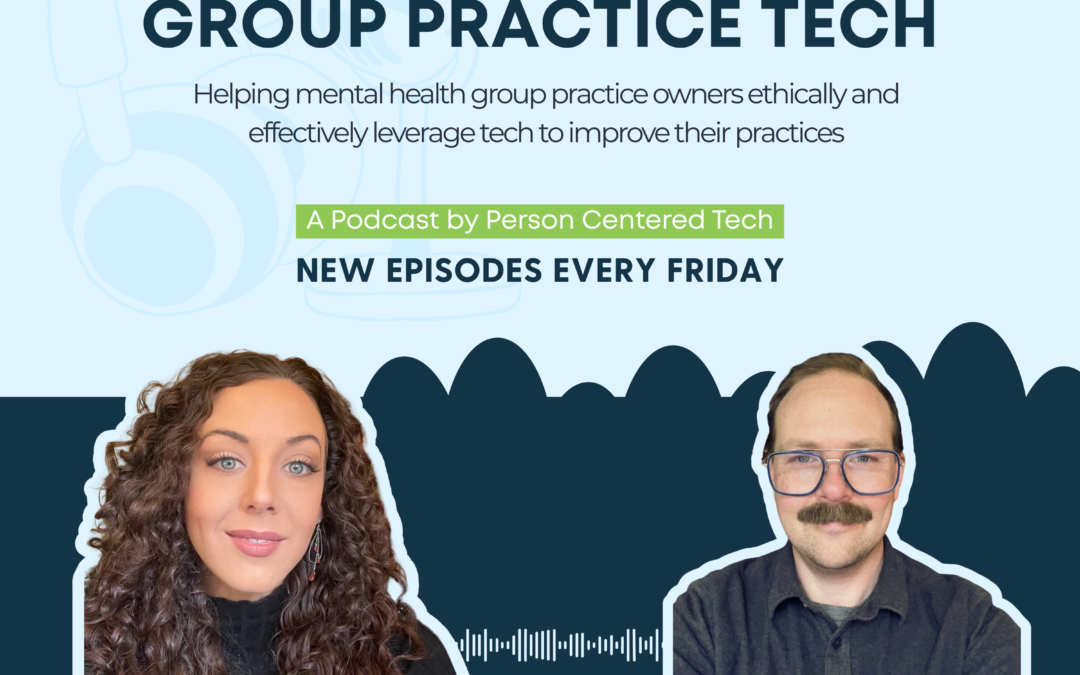
Welcome solo and group practice owners! We are Liath Dalton and Evan Dumas, your co-hosts of Group Practice Tech.
In our latest episode, we chat with Ben Cutler, CEO of Hushmail, about how a secure email service can be a crucial part of your practice’s tech stack.
We discuss:
- How secure email can complement the communication features of your EHR
- Communication gaps in EHRs that can impact your security circle
- Pairing secure forms with secure email to optimize the intake process
- Secure communications as a marketing asset
- Creating more efficient streamlined services for clients and providers
- Addressing burnout via efficient business systems
- Using Hushmail to customize forms and coordinate care
- Misconceptions around non-secure communications
- The difference between HIPAA friendly and HIPAA secure

Therapy Notes proudly sponsors Group Practice Tech!
TherapyNotes is a behavioral health EMR/EHR that helps you securely manage records, book appointments, write notes, bill, and more. We recommend it for use by mental health professionals. Learn more about TherapyNotes and use code “PCT” to get two months of free software.
*Please note that this offer only applies to brand-new TherapyNotes customers
Resources for Listeners
Resources:
- Free Trial of Hushmail!
- Hushmail provides HIPAA-compliant secure email and encrypted online forms designed specifically for behavioral health professionals. It fills the critical gaps your EHR can’t cover—especially during first contact, referrals, and communication with people outside your EHR’s closed messaging system.
- With encrypted email, customizable secure forms, legally binding e-signatures, and ready-to-use templates, Hushmail helps therapists protect client information from the very first inquiry through the entire clinical journey. Clinicians can securely manage intake, collect sensitive documents, send referrals, and maintain compliant records—even during practice transitions or retirement.
- Hushmail’s behavioral-health-specific plans include a signed BAA, automatic archiving to support HIPAA compliance, and access to a customer care team deeply familiar with the needs of therapy practices.
- Exclusive for listeners: Try Hushmail for Healthcare free for 45 days through this link and explore secure email and forms tailored for your practice.
PCT Resources:
- PCT CE course: Smooth and Secure Use of Phone, Text, Email, and Video to Meet Modern Clients Where They Are: Legal-Ethical and Real-World Considerations (3 legal-ethical CE credit hours)
- PCT Podcast Episode: Episode 317: [Compliance] Can Clients Waive the Need for HIPAA Compliance?
- PCT’s Sample Request for Non-Secure Communications Form
Group Practices
Get more information about how PCT can help you reach HIPAA compliance while optimizing and streamlining your practice.
Solo Practitioners
Get more information about how PCT can help you reach HIPAA compliance while optimizing and streamlining your practice.